
Re-keying & SmartKey Support
Answers
Is the reset cradle compatible with the SC1 Smartkey cylinder?
No. You must use the new SC1 reset tool, in order to reset the cylinder.
Is the SC1 SmartKey cylinder compatible with keys from other companies?
Yes. Any SC1 5-Pin key is compatible.
Is the SC1 SmartKey cylinder compatible with Electronic deadbolts?
Yes. The cylinder can fit into any electronic deadbolt that uses a SmartKey cylinder
Can the new SC1 SmartKey cylinder also work with KW1 keys?
No, Only SC1 keys are compatible with the new cylinder.
Which SmartKey cylinder is better? Current KW1 or New SC1
Neither. They feature the same security and convenience
Will SC4 6-Pin Keys work with the SC1 SmartKey cylinder?
No. Only SC1 5-Pin keys are compatible.
SmartKey Troubleshooting
View the SmartKey Troubleshooting Videos on YouTube by clicking a video below.
Featured Videos
SmartKey SC1 Reset Tool Instructions | Kwikset SmartKey Security™
Kwikset's SmartKey Security™ - Now Available in SC1 Keyway
Learn More: https://www.kwikset.com/for-the-pros#SC1
Benefits of SmartKey Security™ SC1 Keyway
Works with all standard SmartKey Security™ door locks
Allows up to 100,000 key combinations
One-Key convenience for all locks with the SC1 keyway
Use your existing SC1 key with the Kwikset SmartKey Security™ Lock
SmartKey SC1 Re-Keying Instructions | Kwikset SmartKey Security™
Kwikset’s exclusive SmartKey Security™ technology is now available in the SC1 keyway.
All the security and convenience benefits of SmartKey Security™ – now in a new keyway. SC1 provides more key options to re-key a single home or multi-family applications. Save time and money on rekeying all the locks yourself, without taking the lock off the door. Contact your local Kwikset Rep for more information.
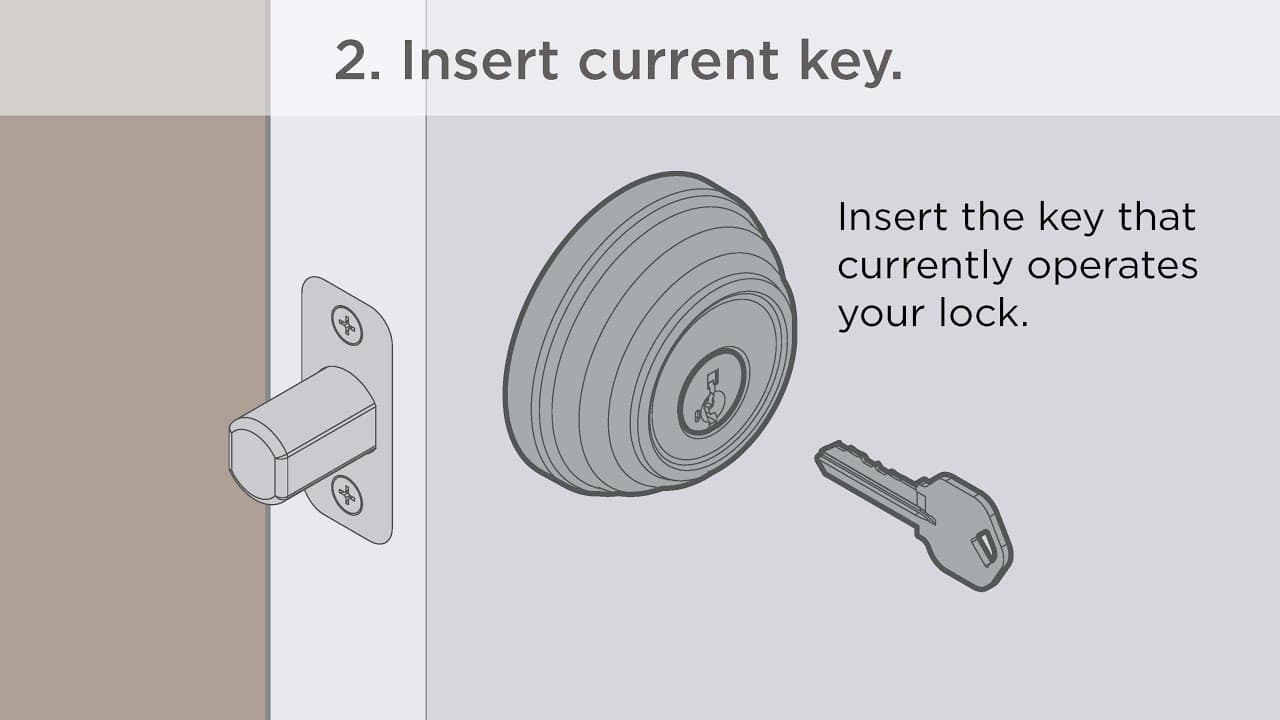
Kwikset SmartKey: How to Rekey Lock in 4 Easy to Follow Steps

Chat with our US-based customer service:
All Products Support
Monday-Friday: 7:00am-4:00pm PST
Saturday: 6:30am-2:30pm PST
Sundays & Major Holidays: Closed
Electronics Technical Support
Monday-Sunday: 24 hours a day
Major Holidays: Closed
24-HR AI Chat Support
Start AI-Powered Troubleshooting
International Customers
For countries outside the U.S. and Canada, please visit our International contact page