How do I perform a factory reset on my smart lock?
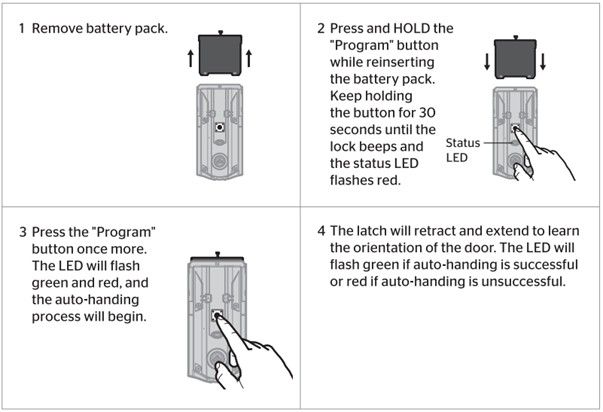
To perform a factory reset on your Halo, Aura, or Halo Touch smart lock, please follow the instructions below.
Factory Reset will delete all Bluetooth pairings, Wi-Fi network settings, user associations, access codes, and event history from the lock, as well as reset all lock settings including handing.
Note: Access codes and event history will still be visible in the Kwikset app until the lock has been deleted from the home.
Factory Reset should be used when you want to change the lock owner, have lost your phone, or are troubleshooting a new installation.
Before you begin the Factory Reset process:
Delete the lock from the home within the Kwikset app, and remove the lock from your phone’s Bluetooth list by tapping Forget Device in Bluetooth settings.
Factory Reset